MOSS Image AI generator online
MOSS-Image is an open-source text-to-image model from OpenMOSS, released on 16 October 2026, known for rendering long Chinese and English text and for placing elements with a JSON layout. Generate with it below — free, in your browser, through the official demo.
- Official demo embedded
- No sign-up on this site
- Apache-2.0 model weights
- Unofficial fan site
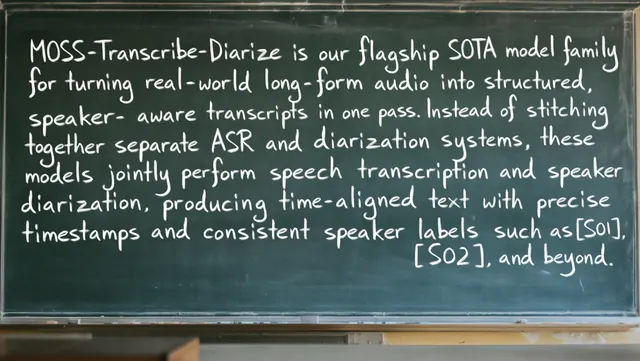
Generate with the official MOSS-Image demo
This is OpenMOSS's own Hugging Face Space (OpenMOSS-Team/MOSS-Image), embedded unchanged. It runs on free shared ZeroGPU hardware: you may wait in a queue, and Hugging Face limits how many free runs each visitor gets. If the frame stays blank or says you are out of quota, open the Space on Hugging Face and sign in for more quota.
Loading the official demo…
Nothing loads? Your network may block huggingface.co. Use the button above instead.
What you can do here
Layout JSON builder
Draw boxes for titles, text and objects; we output the exact JSON format MOSS-Image expects and send it to the generator in one click.
Prompt library
Original prompts for posters, menus, letters and infographics with long Chinese and English text — each with a note on why it is written that way.
Simple generator
A frame-free form that calls the same official Space, plus what every setting (steps, CFG, shift, layer skipping) actually does.
Run it locally
Where ComfyUI support stands today: the official plugin, native support in ComfyUI master and the repackaged files.
MOSS-Image at a glance
| Fact | Value | Source |
|---|---|---|
| Developer | OpenMOSS team (technical report lists MOSI Intelligence, SII, Fudan University, Shanghai Jiao Tong University) | Tech report |
| Released | 16 October 2026 (Base and SFT checkpoints, code) | GitHub README |
| Model size | 5B-parameter single-stream diffusion transformer; the frozen Qwen3.5-9B text encoder and FLUX.2 VAE are extra | Tech report, Table 5 |
| Download size | About 27.2 GB per checkpoint (text encoder 16.8 GB, transformer 10.2 GB, VAE 0.25 GB) | HF file list |
| Prompt length | Up to 4K tokens | Project page |
| License | Apache-2.0 (weights) | Model card |
| Recommended settings | 50 steps, CFG 3, shift 5, Euler, negative-branch layer skip at 22 | User guide |
| Minimum VRAM | Unknown — not published by OpenMOSS | — |
Official example outputs
Real MOSS-Image-Base outputs published by OpenMOSS in their repository (assets/images), resized by us. We did not generate or edit them.
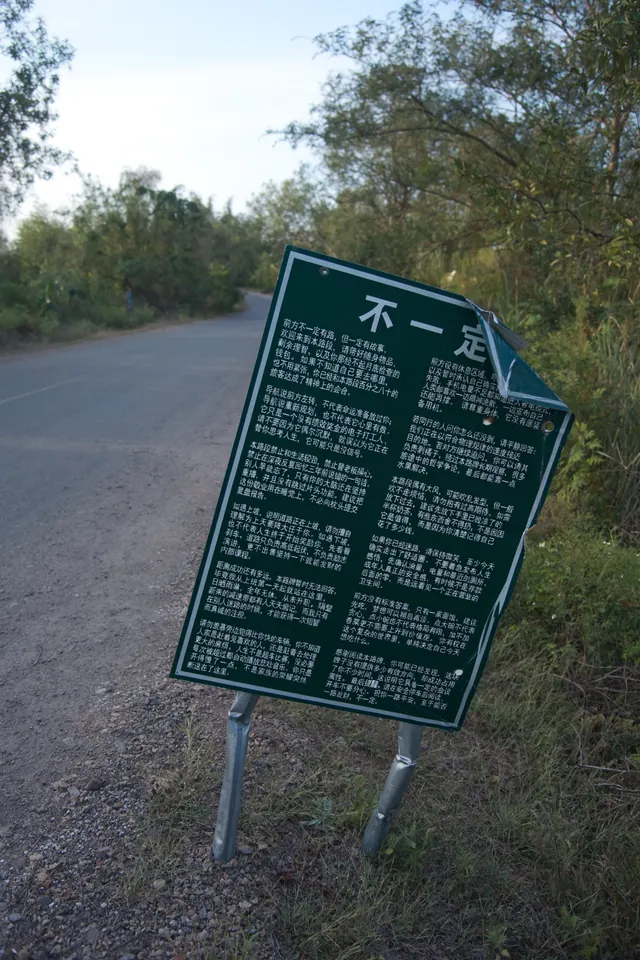
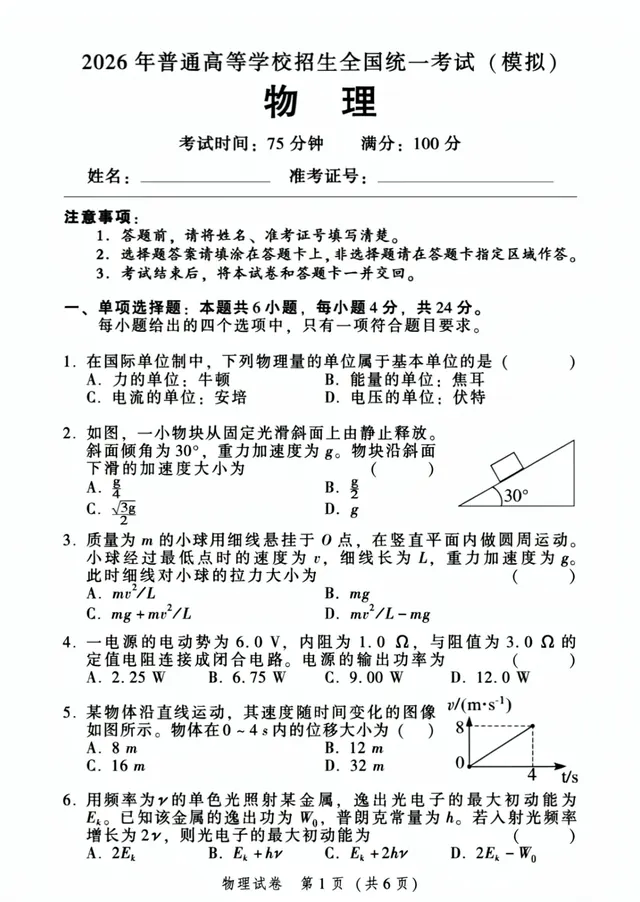
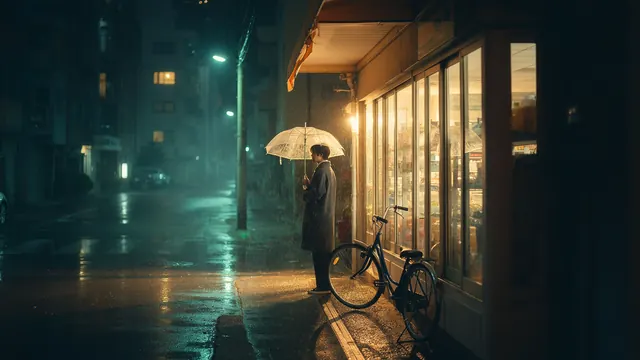
More on the prompts page. Original files and full prompts: github.com/OpenMOSS/MOSS-Image/assets/images.
Is this the official MOSS-Image site?
No. MOSS Image AI is an independent, unofficial site. The model, the demo Space and the trademarks belong to their owners. The official home of MOSS-Image is openmoss.ai. We only embed the public demo, explain how to use it and add tools such as the layout builder. Read more on the about page.
Common questions
Is the online generator free?
Yes. The embedded demo runs on Hugging Face ZeroGPU hardware that OpenMOSS provides for free. Hugging Face limits how many free GPU runs each visitor gets per day; signing in to Hugging Face raises the limit. We charge nothing and add no watermark.
Why is the demo slow or showing a queue?
Everyone shares the same free GPUs. With the default 50 sampling steps a single image can take a while, and busy periods add queue time. Lowering steps speeds it up at some cost in quality.
Base or SFT — which should I choose?
SFT is fine-tuned from Base on curated data; OpenMOSS's own comparison shows SFT grouping text more cleanly. Base is intended as the starting point for LoRA training. Both share the same settings.
Can I use the images commercially?
The weights are released under Apache-2.0, which allows commercial use of the model. Whether a specific image is safe to use (trademarks, likenesses, copyrighted characters in your prompt) is your responsibility. This is not legal advice.
Sources
All accessed 2026-10-18 (Asia/Shanghai). Benchmark numbers from the technical report are reported by the MOSS-Image authors and have not been independently reproduced by us.
- OpenMOSS – MOSS-Image project page — https://openmoss.ai/MOSS-Image
- OpenMOSS/MOSS-Image on GitHub (README) — https://github.com/OpenMOSS/MOSS-Image
- MOSS-Image user guide (USERGUIDE.md) — https://github.com/OpenMOSS/MOSS-Image/blob/main/USERGUIDE.md
- MOSS-Image Technical Report (PDF, self-reported results) — https://github.com/OpenMOSS/MOSS-Image/blob/main/paper/MOSS_Image_Technical_Report.pdf
- Hugging Face – OpenMOSS-Team/MOSS-Image-SFT — https://huggingface.co/OpenMOSS-Team/MOSS-Image-SFT
- Official demo Space – OpenMOSS-Team/MOSS-Image — https://huggingface.co/spaces/OpenMOSS-Team/MOSS-Image